Chestful

A real home for your family's photographs.

The shoebox in the closet is the most valuable thing in most houses and the worst looked after. Photograph the prints with your phone and Chestful repairs the damage, adds color to the black-and-white ones, works out roughly when each was taken, and keeps the story attached to the picture.

In development — not yet on the App Store
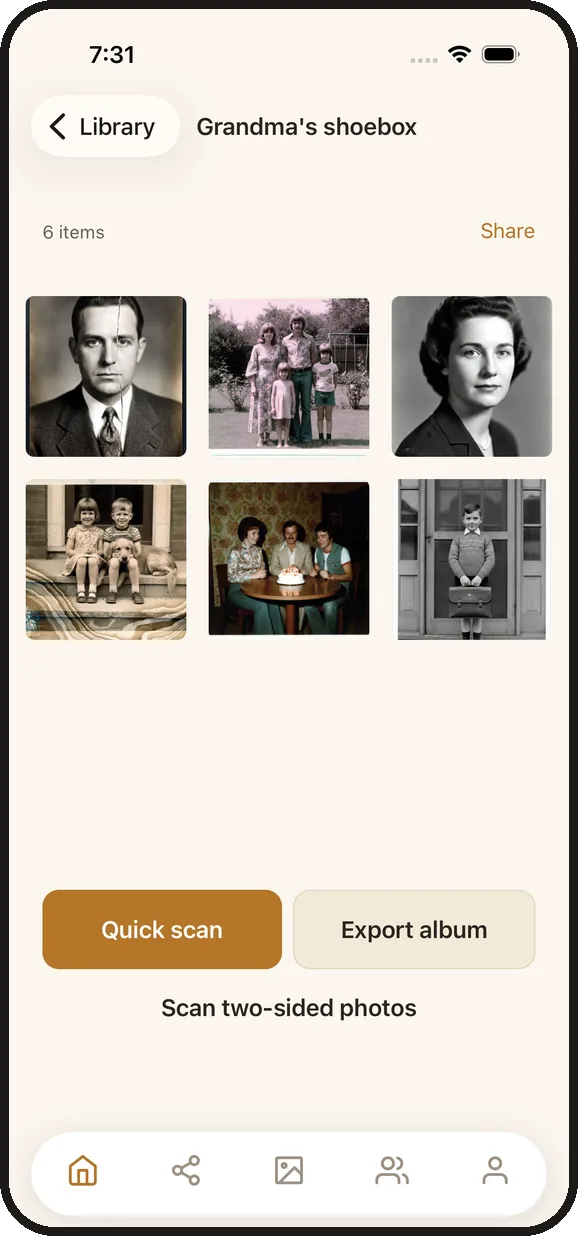
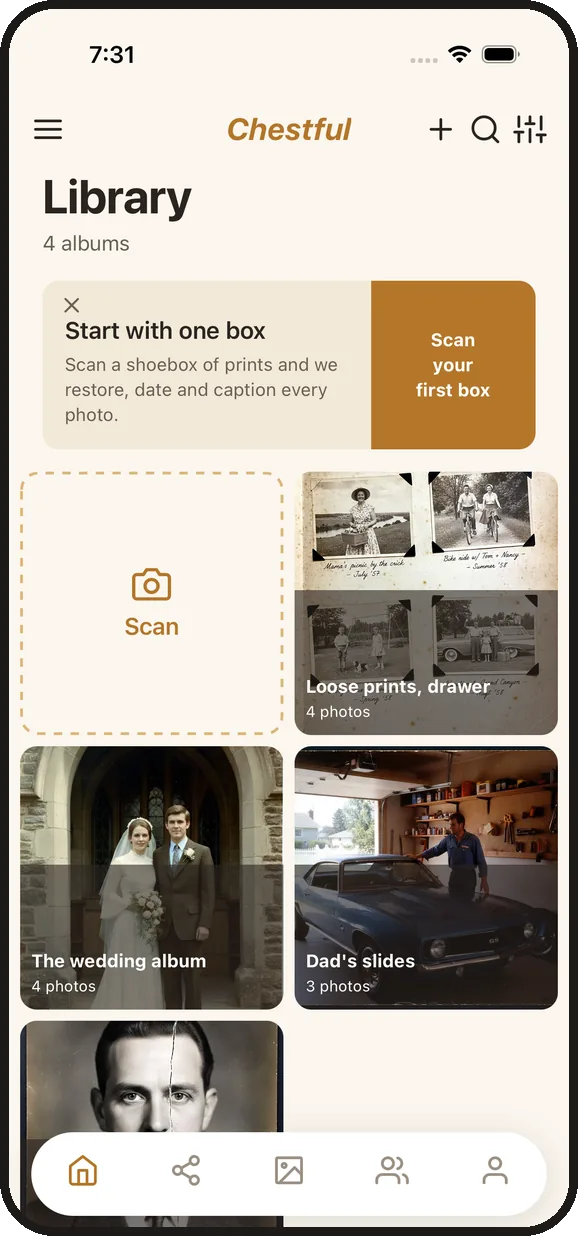
The Chestful library: albums of scanned family photographs, one per shoebox
One album per shoebox
An album of scanned family photographs in a grid
A box of prints, scanned
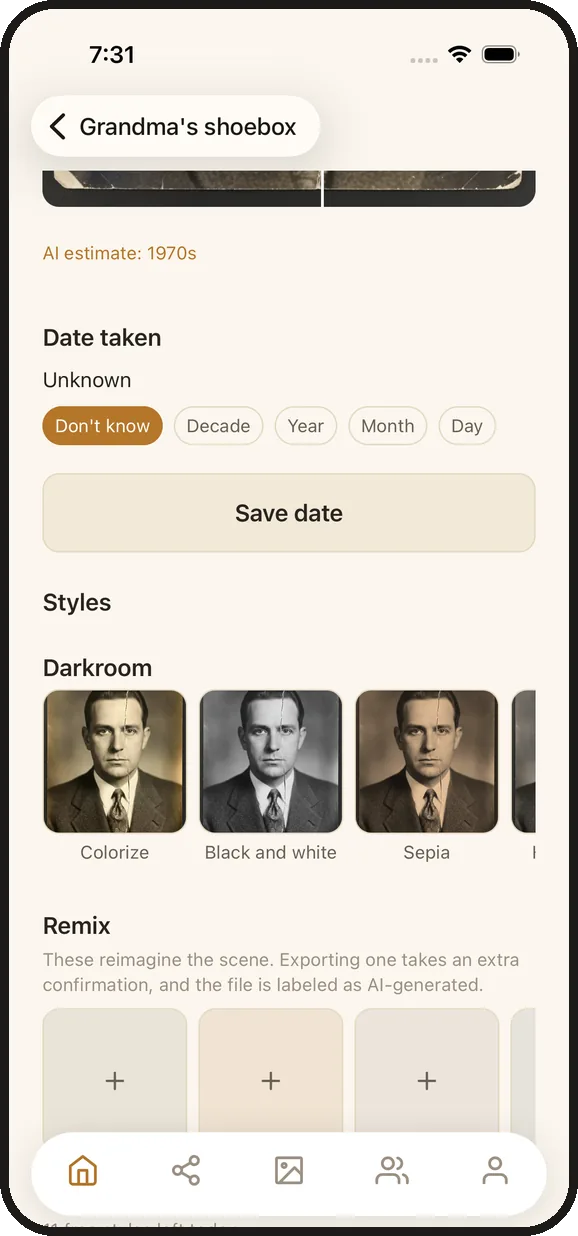
The darkroom style picker, showing colorize, black and white and sepia treatments
Darkroom treatments, labeled

Four steps, one evening

No scanner, no desktop software, no subscription just to look at your own photographs.

1. Photograph the print

Your phone camera is the scanner. Auto-crop finds the edges of a print and straightens it, so one shot from above at a slight angle comes out square. Batch mode keeps the shutter going so a whole box takes minutes, not an afternoon.

2. The damage gets repaired

Scratches, creases, tears, and the color shift of forty years in a drawer. Your original is never touched — the repaired copy is stored beside it, and you can go back to the scan you made at any point.

3. It works out the story

A caption, an estimated era, and tags — suggested, never imposed, and yours to edit. Photograph the back of a print and the handwriting on it is kept with the front as a single item.

4. Export it anywhere

A zip of ordinary JPEGs with the captions, dates and names written into each file's own metadata — not stranded in a sidecar file no other app will ever read.

Start free. Keep what you scan.

Not a trial, and not free-for-thirty-days. Scan a batch of your own photographs, watch them come back repaired and captioned, and keep them — for as long as you want them. No card needed to start, and nothing disappears if you never pay.

Free to start

Your first batch of photographs, repaired and captioned, kept for good. Share them with family, export them whenever you like, and try the darkroom styles.

When you want the whole box

One subscription covers the rest of the shoebox. Cancel it whenever you like and everything you have already scanned stays exactly where it is.

What we will never do

Charge you to look at your own photographs, or to get them back out. Everything you scan can be exported as ordinary files, on the free plan, at any time.

What the repair actually does

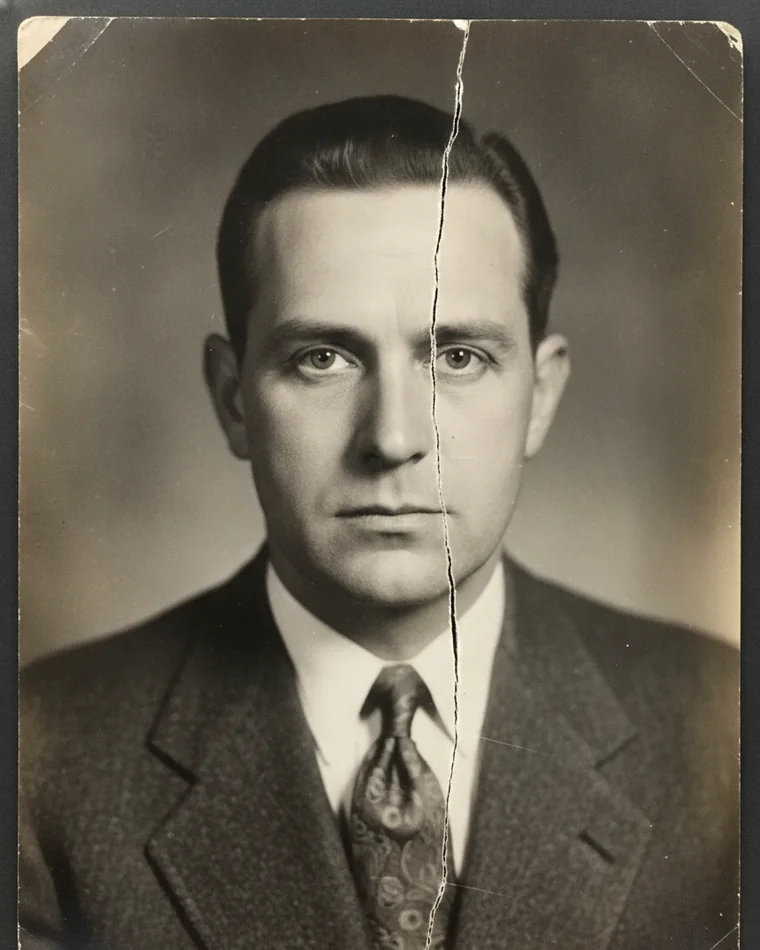
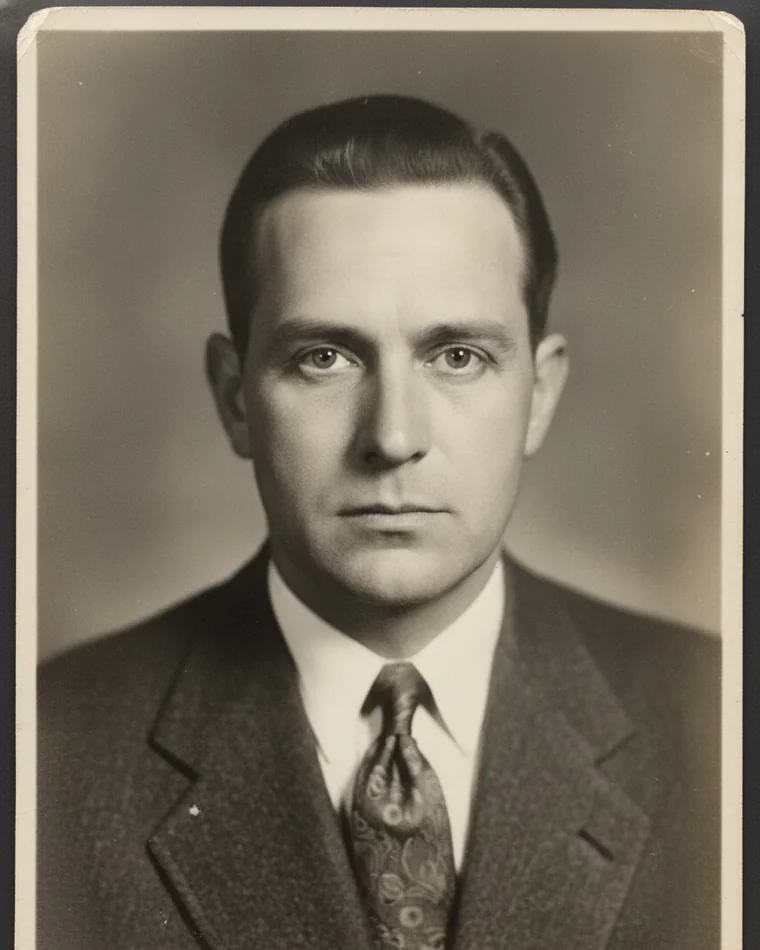
One photograph, before and after. Not a mock-up — this is the output of the same restoration the app runs. The print is a generated sample and the man in it is fictional; the damage is the kind a shoebox actually produces.

A 1940s monochrome portrait with a hard crease running down through the face
Before — a hard crease through the face, darkened edges
The same portrait with the crease repaired and the face unchanged
After — the crease repaired, the face unchanged

The second one is a new file. Your scan is still there, untouched, and always will be.

Two kinds of transformation, and we never blur the line

Most apps give you one slider labeled "enhance" and leave you guessing how much of the result is still your photograph. Chestful splits the catalog in two and labels it, because a sepia print is a treatment of the picture and a frontier restaging is a picture of something that never happened. In a family archive those cannot look like the same button.

Darkroom

Treatments of the photograph

The subject stays exactly as photographed — the same people, the same faces, the same framing. Only the rendering changes, the way a different paper or developer would have changed it.

Colorize Black and white Sepia Hand-tinted Tintype Cyanotype Kodachrome Faded Polaroid Newsprint Studio portrait

Colorizing a black-and-white photograph is the one most people come for. It is here, and it is in this group because it adds color without restaging anything.

Remix

Pictures of something that never happened

The same people, reimagined into another setting or another medium. Fun, and plainly fiction — which is exactly why it lives behind its own heading instead of in a list with the darkroom treatments.

Western Film noir Travel poster Renaissance Winter scene Pulp sci-fi More coming

Build your own, soon. Pick a scene, an era and a palette and we combine them — hundreds of looks from a few choices, without you ever having to write a prompt or guess the words a machine wants.

Exporting a remix takes an extra confirmation, and the exported file declares itself AI-generated in its own metadata. A hundred years from now nobody should have to guess which of these was real.
Built for a box of prints, not a camera roll

Front and back, one item

The date and the names on the reverse are often the only record of who is in the picture. Chestful pairs both sides as one item rather than leaving you two loose files and no way to tell they belong together.

Dates you can be honest about

Most old prints have no date. Record what you actually know — a decade, a year, a full date, or nothing — instead of being forced to invent a day so the sort order works.

Share an album with family

Invite by email as a viewer or an editor. Change or remove access whenever you like, and revoking takes effect immediately rather than at their next sign-in.

Search what you remember

By person, by caption, by era. Tag a face once and every photograph of them is a tap away — which is the only way a thousand scanned prints stays usable.

Metadata that travels

Captions, dates and people are written into standard EXIF and IPTC fields, so Photos, Lightroom and every archive tool built in the last twenty years can read what you wrote.

Leave whenever you like

Delete your account from inside the app and everything goes with it — albums, scans, restorations, captions. Immediately and permanently.

Coming next: the reels and tapes

The same box usually has film and videotape in it, and nobody has done for those what this does for prints. Super 8 and 8mm that shakes and flickers, VHS that has gone soft and streaky, camcorder tapes nobody can play any more.

Hold it still

Hand-held cine film is the shakiest footage most families own. Steadying it changes how watchable a reel is more than anything else does.

Clean up the picture

Take out the grain, the dust and the exposure flicker that comes with old film, without turning faces to plastic.

Color, if you want it

Bring back the color that has drained out of an aging reel — or add it to black-and-white film, the same way we do for prints.

What we will not do

  • We do not train on your photographs. Restoration, colorization and captioning run through a paid Google Gemini tier where the content is not used for model training, and we train no models of our own.
  • We never overwrite your original. Every repaired, colorized or restyled version is a new file stored alongside the scan you made. The original is the one thing that can never be regenerated.
  • We never quietly restage a photograph. Darkroom treatments leave the subject exactly as photographed. Anything that invents is in Remix, labeled, and labeled again in the exported file.
  • There is no public feed. No browsing other people's albums, no discovery, no sharing you did not ask for. Photographs are visible to you and to the people you invite to a specific album.
  • We do not hold your archive hostage. Export everything, any time, as ordinary JPEGs that any other app can read.